Plugged In and Overcharged: The Hidden Cost of Rental Car Tech You Probably Don't Need
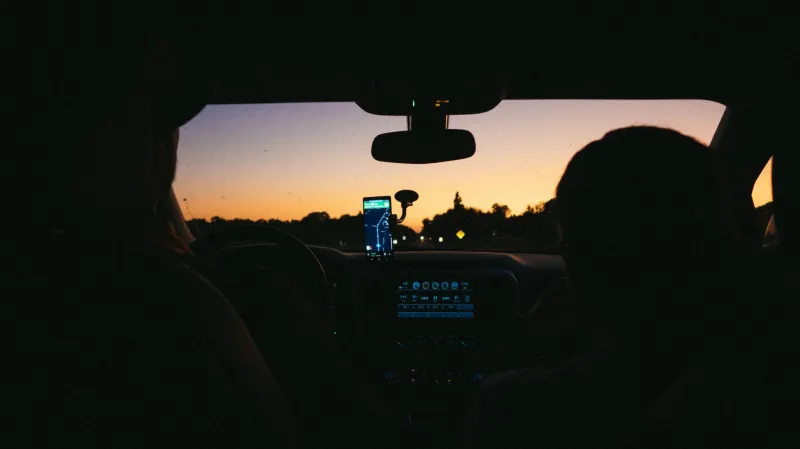
You're standing at the rental counter after a long flight, bags at your feet, coffee wearing off fast. The agent slides a contract across the desk and mentions — almost offhandedly — that you can add a navigation package for "just a few dollars a day." It sounds reasonable. It sounds convenient. It sounds like exactly the kind of thing you'd want on an unfamiliar road.
But here's the thing: that "few dollars a day" adds up faster than you'd expect, and in most cases, you already have everything you need sitting in your pocket.
What Rental Companies Actually Charge for GPS
Let's get specific. Most major rental companies — think Hertz, Enterprise, Avis, Budget — charge somewhere between $10 and $15 per day for an in-dash GPS unit or connected navigation package. On a five-day rental, that's up to $75 tacked onto your bill before you've driven a single mile. Some premium or luxury vehicle tiers bundle navigation into a broader "technology package" that can run even higher.
And it doesn't stop at navigation. Satellite radio subscriptions (usually SiriusXM), Wi-Fi hotspot access, and what the industry calls "connected car" features — like real-time traffic data or remote diagnostics — are increasingly being packaged together. Sounds slick. But you're often paying for features that overlap heavily with what your phone already does, and does better.
Here's the kicker: some rental locations charge an activation fee on top of the daily rate. It's buried in the fine print, but it's real. A $12/day GPS add-on at a location that charges a $25 activation fee suddenly becomes a much steeper proposition for a short trip.
The Smartphone Argument (And Why It Actually Holds Up)
Google Maps and Apple Maps have gotten remarkably good. Like, genuinely, embarrassingly good compared to where they were five or six years ago. Real-time traffic rerouting, lane guidance, speed limit alerts, EV charging station locations, rest stop info — it's all there, updated constantly, and completely free.
For the vast majority of US road trips, your phone's navigation is going to outperform a rental car's built-in system. Why? Because rental GPS units are often running outdated maps. A unit that hasn't been updated in 18 months might not know about that new highway interchange outside Nashville or the road closure near Moab. Your phone, by contrast, is pulling live data.
The one counterargument rental companies lean on is data usage. "What if you lose signal?" Fair point — dead zones exist, especially in rural stretches of the Southwest, the Rockies, or parts of Appalachia. But there's an easy fix: download offline maps before you leave. Both Google Maps and Apple Maps let you download entire regions for offline use. Takes about five minutes and costs absolutely nothing.
The Satellite Radio Situation
SiriusXM is a nice-to-have. It's not a need-to-have. Rental companies know this, which is why they bundle it into packages rather than pricing it transparently on its own.
If you're driving a long stretch — say, from Phoenix to Albuquerque or up the Pacific Coast Highway — having a solid music or podcast setup matters. But Spotify, Apple Music, Amazon Music, and a dozen podcast apps already live on your phone. Pair that with a decent car Bluetooth connection (which virtually every rental car has these days) or a simple aux cable, and you've got your entertainment covered without adding a dime to your rental bill.
If you're a die-hard SiriusXM fan, it's worth knowing that a standalone monthly subscription runs about $10-$15 — which is roughly what rental companies charge per day for the same service.
Wi-Fi Hotspots: The Sneakiest Add-On
In-car Wi-Fi hotspots are becoming more common as a rental add-on, and they come with some of the worst value propositions in the entire industry. You're typically paying $10-$20 per day for data that's capped, throttled, or both — and again, your smartphone already functions as a hotspot if your carrier plan includes it (and most do these days).
Before your next trip, take 30 seconds to check whether your phone plan includes mobile hotspot capabilities. If it does, you literally have no reason to pay for this feature at the rental counter.
When the Rental Tech Actually Makes Sense
Fair is fair — there are a few scenarios where built-in navigation or tech packages have genuine value.
If you're traveling internationally and your phone plan doesn't include data abroad, an in-car GPS unit could save you from roaming charges. But for domestic US travel? That argument doesn't really apply.
There's also the distraction factor. Some drivers genuinely prefer a dedicated screen mounted at eye level over glancing at a phone mount. If that's you, and the peace of mind is worth $10-$15 a day, that's a personal call. Just go in knowing it's a convenience purchase, not a necessity.
Lastly, if you're renting for a longer business trip and your company's expense policy covers tech packages, it's a non-issue. Charge it, move on.
How to Decline Without the Awkwardness
Rental agents are trained to present add-ons in a way that makes declining feel like you're making a risky choice. You're not. Here's a simple script that works:
"I've got navigation on my phone, so I'll skip the GPS package. No hotspot either — I'm good with my carrier plan."
That's it. You don't need to over-explain. A confident, specific response signals that you've thought it through, and most agents will move on without much pushback.
If they do push back — "but what about dead zones?" — you can mention that you've already downloaded offline maps. That usually ends the conversation.
The Bottom Line
Rental car technology add-ons are one of the most consistent ways travelers quietly inflate their trip costs. A GPS package here, a satellite radio bundle there — it can easily add $50 to $100 to a week-long rental without you even noticing until you're reviewing the final bill at the airport.
Your smartphone is a genuinely capable travel tool. Download your offline maps, queue up your playlist, confirm your hotspot works, and walk past those add-on checkboxes with confidence. The road ahead looks exactly the same whether you paid extra for it or not.